
You open GA4, ready to track a custom action, and freeze. Should you create a brand-new custom event? Or use one of Google’s recommended events? Pick wrong and you either lose built-in reporting or wrestle with features that don’t fit. It’s a small decision that quietly shapes your whole setup.
I get this question on nearly every GA4 implementation. The good news: the rule is simpler than the documentation makes it look. This guide breaks down custom events vs recommended events, when each one wins, and how to decide without second-guessing yourself.
The Three Types of GA4 Events
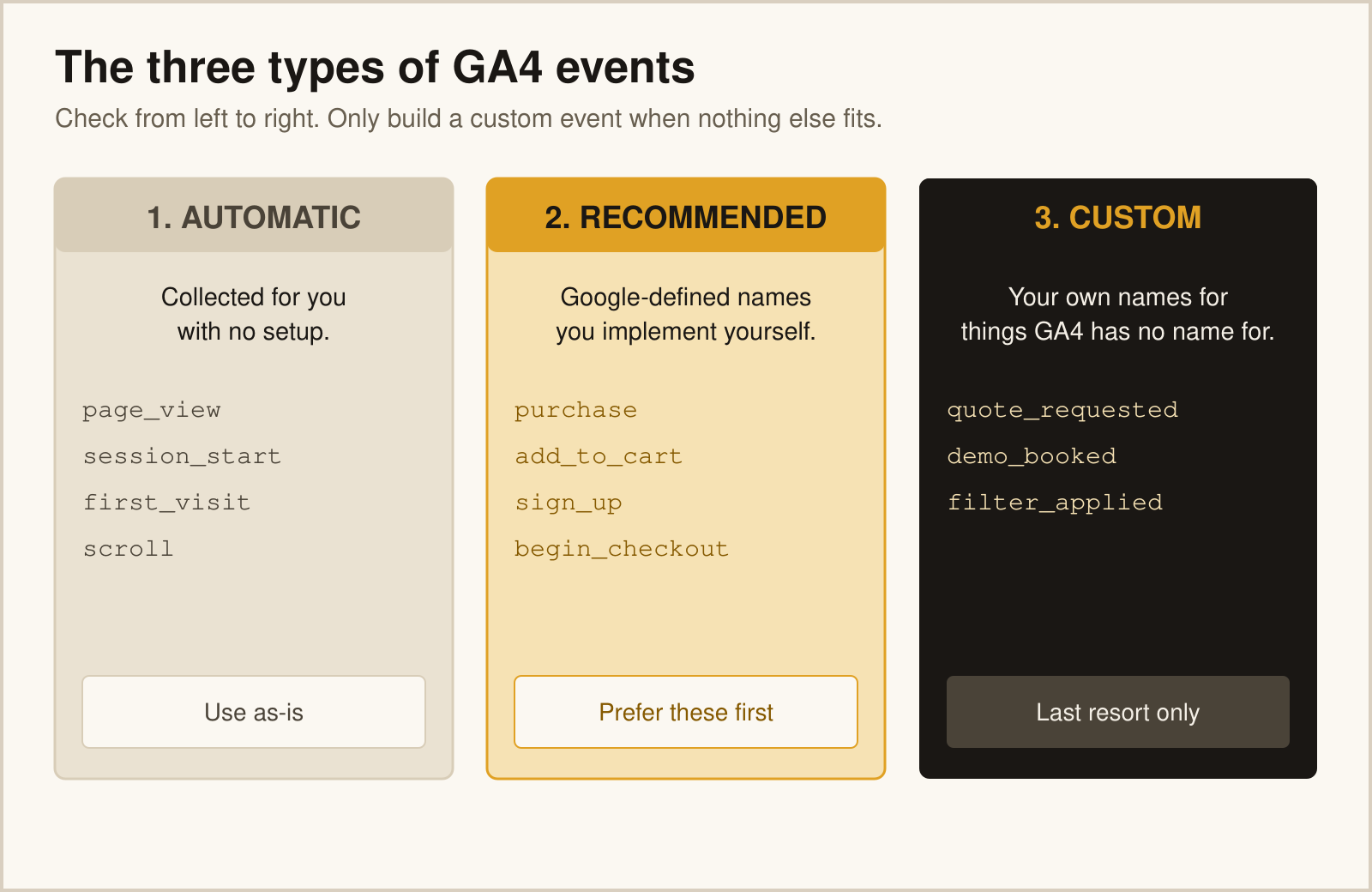
Before choosing, you need the full map. GA4 actually has three event categories, not two, and the third one trips people up constantly.
| Type | Who Defines It | Example |
|---|---|---|
| Automatic | Collected by GA4 with no setup | page_view, scroll |
| Recommended | Pre-named by Google, you implement | purchase, sign_up |
| Custom | Named and built entirely by you | quote_requested |
Automatic events need no work—GA4 captures them for you. The real decision lives between the other two: when to lean on a recommended event versus when to invent your own.
What Are Recommended Events?
Recommended events are actions Google has pre-defined with specific names and expected parameters. You still have to implement them, but you use Google’s exact naming—purchase, add_to_cart, begin_checkout, sign_up, and dozens more.
The payoff is built-in intelligence. Because Google knows what these events mean, it unlocks features automatically:
- ✓ Pre-built reports populate without manual configuration
- ✓ E-commerce and monetization reports recognize the data
- ✓ Predictive metrics and audiences become eligible
Google maintains the full list in its recommended events reference. Before you ever build a custom event, scan that list. If a recommended event fits your action, use it.
What Are Custom Events?
Custom events are actions you define yourself when nothing on Google’s list matches. A law firm tracking consultation_booked. A media site tracking article_completed. A SaaS tool tracking workspace_created. These are unique to your business, so you name them.
Custom events give you total flexibility. The cost is that GA4 doesn’t know what they mean. You’ll register parameters as custom dimensions, build your own reports, and mark conversions manually. Nothing comes for free.
How to Decide: A Simple Rule
Here’s the decision tree I use on every build. Walk it top to bottom and the answer is almost always obvious.
- 1 Does GA4 collect this automatically? If yes, do nothing.
- 2 Is there a recommended event for it? If yes, use Google’s exact name.
- 3 Is the action unique to your business? Build a custom event.
The trap I see most often: teams invent completed_purchase when purchase already exists. They lose every e-commerce report Google would have handed them for free. Always check the recommended list first.
Don’t Reinvent Recommended Events
If Google has a name for it, use Google’s name. A custom event that duplicates a recommended one is pure overhead—you do more work and get less reporting in return.
This is also where a solid event schema pays off. When your schema documents which actions map to recommended events and which need custom ones, nobody on the team has to guess. The decision is made once and written down.
Naming Custom Events Correctly
When you do build a custom event, name it well. GA4 enforces real constraints, and good naming keeps your reports clean.
- → Use lowercase
snake_case, no spaces, under 40 characters. - → Avoid reserved prefixes:
ga_,google_,firebase_. - → Follow the same
object_actionpattern as your recommended events for consistency.
Mixing custom and recommended events under one consistent naming style is what keeps a growing GA4 property readable. The two types should look like they belong together, because they do.
Common Mistakes
1. Recreating Recommended Events
The most common and costly mistake. Custom names like user_signup or bought_item throw away the reporting tied to sign_up and purchase. Match the recommended name exactly.
2. Forgetting to Register Custom Dimensions
Custom events can carry parameters, but GA4 won’t show them in reports until you register each one as a custom dimension. Many teams send rich data, then wonder why they can’t find it.
3. Creating Too Many Custom Events
If you find yourself building dozens of nearly identical custom events, you probably need fewer events with more parameters instead. Push the variation into properties, not new event names.
4. Ignoring the Conversion Step
A custom event won’t count as a conversion until you mark it as a key event in GA4. Recommended events tied to value often get this treatment automatically; custom ones never do.
Recommended vs Custom: Side by Side
| Recommended Events | Custom Events |
|---|---|
|
|
A Quick Decision Checklist
- ✓ Check whether GA4 already collects the action automatically
- ✓ Scan the recommended events list before building anything
- ✓ Use Google’s exact name when a recommended event fits
- ✓ Build custom events only for truly unique actions
- ✓ Register custom parameters as dimensions and mark key events
- ✓ Document the choice in your tracking plan
Custom events vs recommended events isn’t a hard call once you know the order of operations. Check automatic first, recommended second, custom last. Follow that sequence and you’ll get the most reporting power for the least implementation work.
FAQ
What is the difference between custom events and recommended events in GA4?
Recommended events use Google’s pre-defined names and unlock built-in reports and predictive features. Custom events are ones you name yourself for actions unique to your business. Recommended events come with intelligence attached; custom events offer flexibility but require manual setup.
When should I use a recommended event instead of a custom one?
Use a recommended event whenever one matches your action—like purchase for a sale or sign_up for registration. It gives you pre-built reporting and predictive eligibility for free. Only build a custom event when nothing on Google’s recommended list fits.
Why shouldn’t I create a custom event that duplicates a recommended one?
Duplicating a recommended event—say, completed_purchase instead of purchase—throws away the e-commerce reports and features Google ties to the standard name. You do more work and get less insight. Always match the recommended name exactly when one exists.
Do custom events count as conversions automatically?
No. A custom event must be marked as a key event in GA4 before it counts as a conversion. Some value-based recommended events get conversion treatment more readily, but custom events always require you to flag them manually.
What are the naming rules for custom events in GA4?
Custom event names must be lowercase, use no spaces, stay under 40 characters, and avoid reserved prefixes like ga_, google_, and firebase_. Following the same object_action pattern as recommended events keeps your whole property consistent and readable.