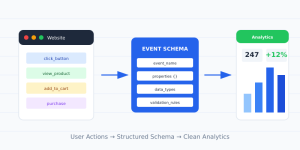
Most teams obsess over which events to track. Far fewer think hard about the data attached to those events. That’s a mistake. The properties you capture are where analytics goes from “something happened” to “here’s exactly what happened and why.”
An event named purchase_completed tells you a sale occurred. Add the right event properties—order value, items, payment method, coupon code—and suddenly you can answer real questions. Which products drive the most revenue? Do coupon users churn faster? That depth lives entirely in the properties.
I’ve designed property structures for e-commerce, SaaS, and media companies. The principles are the same everywhere. This guide walks through what event properties are, how to design them well, and the traps that quietly ruin your data.
What Are Event Properties?
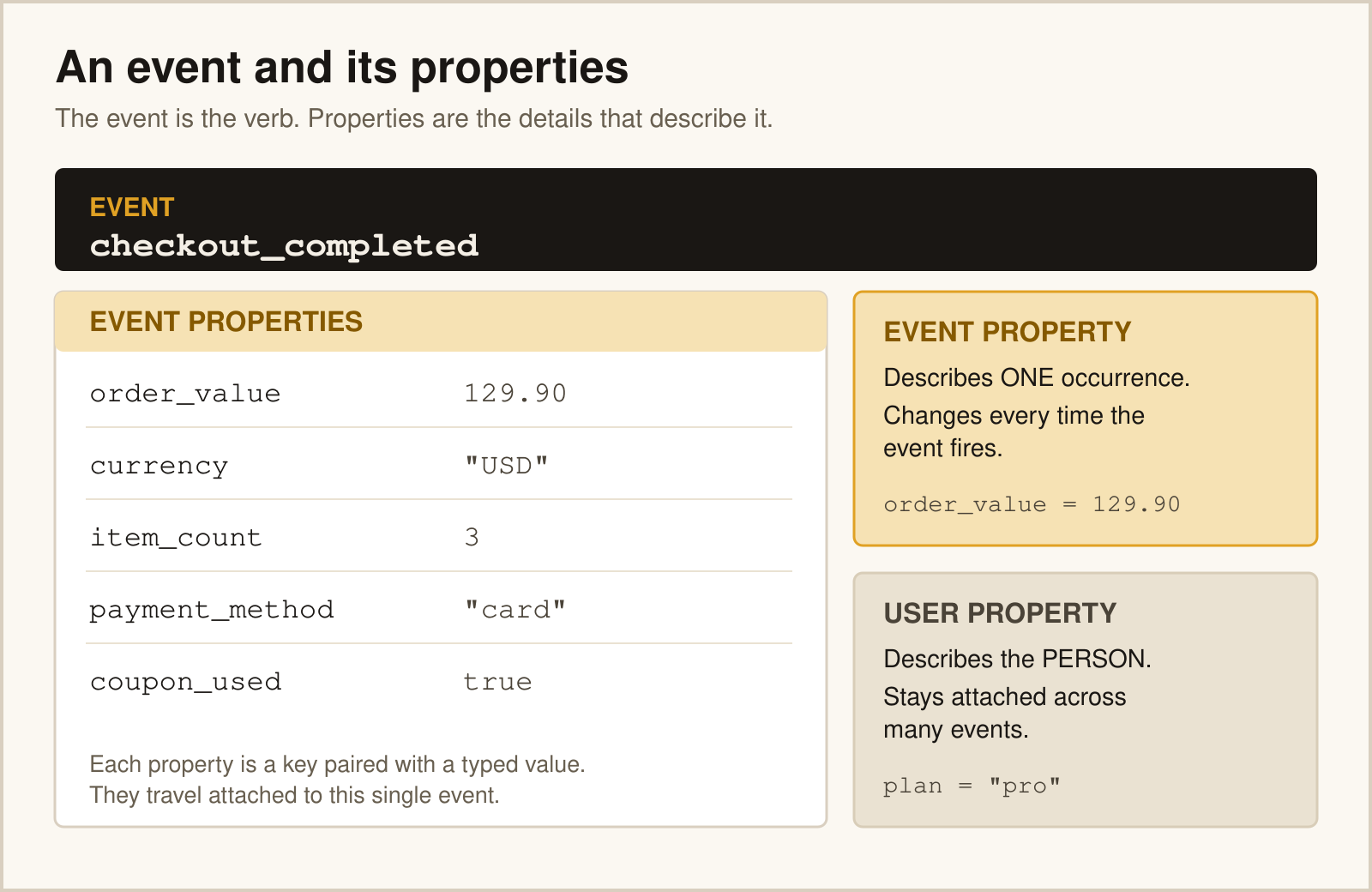
Event properties—also called parameters in GA4—are the key-value pairs of context attached to each event. The event is the verb. The properties are the adjectives and nouns that describe it.
Take a single product_viewed event. On its own, it’s a count. With properties, it’s a rich record:
event: product_viewed
properties:
  product_id: "SKU-4471"
  product_name: "Trail Runner Pro"
  category: "footwear"
  price: 129.00
  currency: "USD"
  in_stock: true
Now you can break that view down by category, price band, or stock status. Properties turn a flat number into a dataset you can slice.
Event Properties vs User Properties
Beginners often blur these two. They behave very differently, and mixing them up corrupts your analysis.
| Type | Describes | Examples |
|---|---|---|
| Event property | A single moment in time | cart_value, button_text, search_term |
| User property | A persistent trait of the person | plan_tier, signup_date, lifetime_value |
An event property is true only at the instant the event fires. A user property sticks to the person across sessions. Plan tier belongs on the user. The price of the item they just viewed belongs on the event. Keep that line sharp and your reports stay honest.
How to Design Good Properties
Designing properties is a balance. Too few, and you can’t answer your questions. Too many, and you drown in noise and slow down development. Here’s the framework I use.
Start From the Questions
Don’t list properties first. List the questions you want answered, then work backward to the data that answers them. “Which traffic source drives high-value orders?” demands a source property and an order_value property. The question defines the schema.
Set Consistent Data Types
Every property needs one data type, used everywhere. If price is a number in one event and the string "129.00" in another, your math breaks. Decide upfront and enforce it.
- → String for names, IDs, categories:
"footwear" - → Number for prices, counts, durations:
129.00 - → Boolean for yes/no states:
in_stock: true
Mark Required vs Optional
Some properties must always be present—an order_id on a purchase is non-negotiable. Others are nice-to-have. Documenting which is which keeps your data complete where it counts and flexible where it doesn’t.
Naming Your Properties
The same discipline that governs event names applies to properties. Use one casing style, descriptive nouns, and a controlled vocabulary. If your events use a consistent schema, your properties should match it.
A few rules that prevent headaches:
- ✓ Reuse the same property name across events.
priceshould mean the same thing everywhere. - ✓ Avoid reserved prefixes. GA4 blocks names starting with
google_,ga_, andfirebase_. - ✓ Respect tool limits. GA4 caps custom event parameters at 25 per event and 100 characters per value.
Google documents these constraints in its custom dimensions and metrics guide. Hitting a limit mid-project forces ugly compromises, so plan within them from the start.
Common Property Mistakes
1. Capturing Personal Data
Never put emails, names, or phone numbers in event properties. It violates the terms of most analytics platforms and creates serious privacy risk. Use a hashed or anonymous identifier instead. This is also central to any responsible first-party data strategy.
2. Inconsistent Value Formats
One event sends currency: "USD", another sends currency: "us dollars". Now your currency breakdown is split in two. Standardize value formats, not just property names.
3. Over-Collecting
Just because you can capture a property doesn’t mean you should. Each extra property adds development cost, QA surface, and report clutter. If no one will ever query it, leave it out.
4. High-Cardinality Properties
Properties with thousands of unique values—like a raw timestamp or a full URL with query strings—can blow up your reporting and hit cardinality limits. Bucket or truncate these before they reach your analytics tool.
5. Forgetting Currency and Units
A value of 50 means nothing without context. Fifty dollars? Fifty cents? Fifty seconds? Always pair numeric properties with their unit so the data is self-explanatory.
Pros and Cons of Rich Property Tracking
| Pros | Cons |
|---|---|
|
|
A Property Design Checklist
- ✓ Define properties from the questions you need to answer
- ✓ Assign one data type per property and enforce it
- ✓ Separate event properties from user properties
- ✓ Mark required versus optional fields
- ✓ Keep PII out and watch for high cardinality
- ✓ Document everything in your tracking plan
Events tell you what users do. Properties tell you the story behind it. Invest in your event properties, and every report you build afterward becomes sharper, faster, and far more useful.
FAQ
What is the difference between an event property and a user property?
An event property describes a single moment—the price of an item viewed, the text of a button clicked. A user property describes a persistent trait of the person, like their plan tier or signup date. Event properties change constantly; user properties stick across sessions.
How many properties should an event have?
Capture only what answers a real question—usually three to eight properties per event. GA4 limits custom event parameters to 25 per event. More isn’t better; each property adds development and QA cost, so favor the ones you’ll actually query.
Can I track personal data in event properties?
No. Emails, names, and phone numbers violate most analytics platforms’ terms and create privacy risk. Use an anonymous or hashed identifier instead, and keep any personal data in a system designed to handle it securely.
What data types should event properties use?
Use strings for names, IDs, and categories; numbers for prices, counts, and durations; and booleans for yes/no states. The key rule is consistency—a property must use the same type in every event, or your aggregations and math will break.
What are high-cardinality properties and why are they a problem?
High-cardinality properties have thousands of unique values, like raw timestamps or full URLs. They can hit reporting limits and make analysis unwieldy. Bucket or truncate these values—group timestamps by hour, strip query strings from URLs—before sending them to your analytics tool.